OSCAR Dashboard
Implementing an OSCAR cluster dashboard greatly improves interaction with all elements within the cluster. This interface makes deploying a service on an OSCAR cluster much faster and more intuitive.
❗️ In the
Interfacesection there is a much more detailed description of how to use all the elements within the Dashboard.
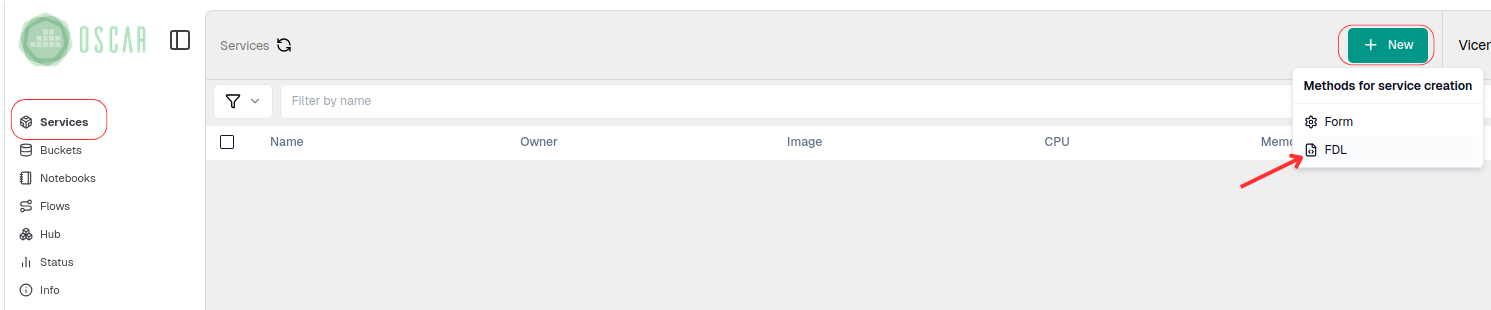
There are several ways to deploy a service from the OSCAR dashboard. One is by starting with an FDL file that contains the configured service and the corresponding script. In this case, we will deploy the cowsay service.
In services, under New, go to the FDL option.
Next, we load both the FDL file and the script and click on Create Service.
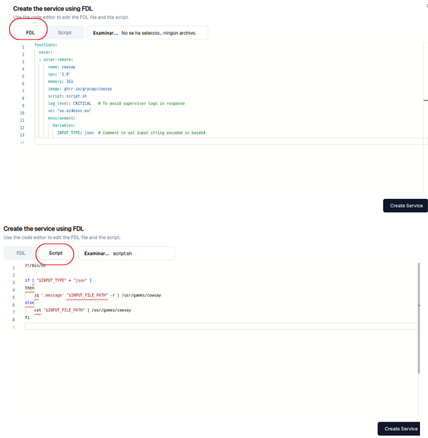
In a few moments the service is created and ready to be used.

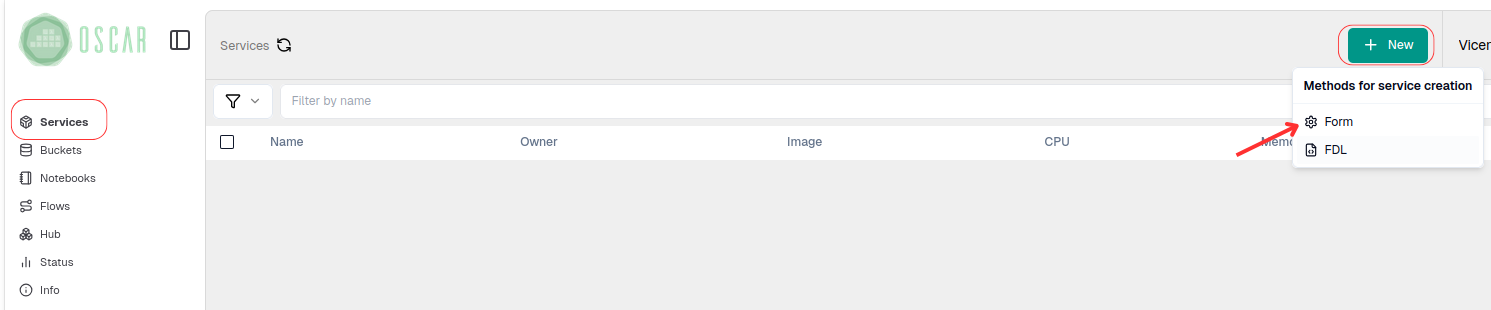
The other option is through a form where you enter all the features that the service to be deployed will have.
In services, under New, go to the Form option.
Next, fill out the form with the necessary information for deploying the service. Once everything is complete, go to the Create option to deploy the service.
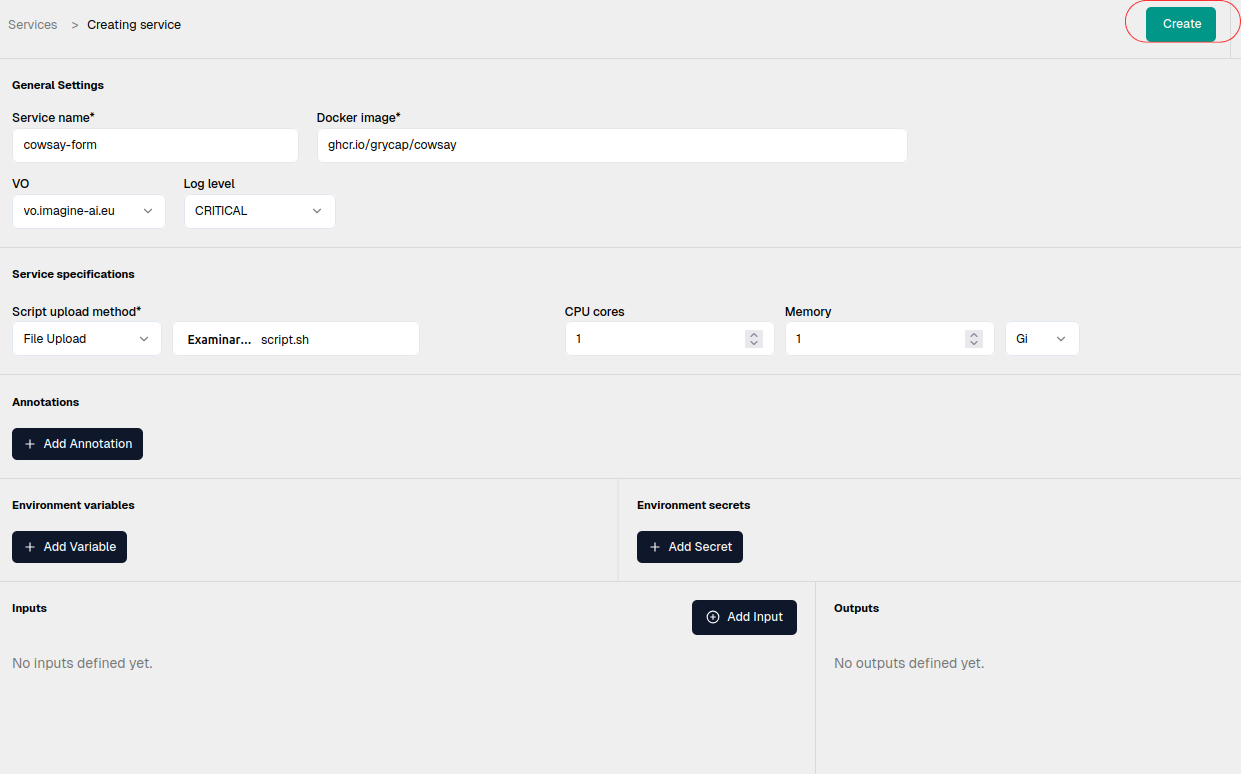
In a few moments the service will be created.
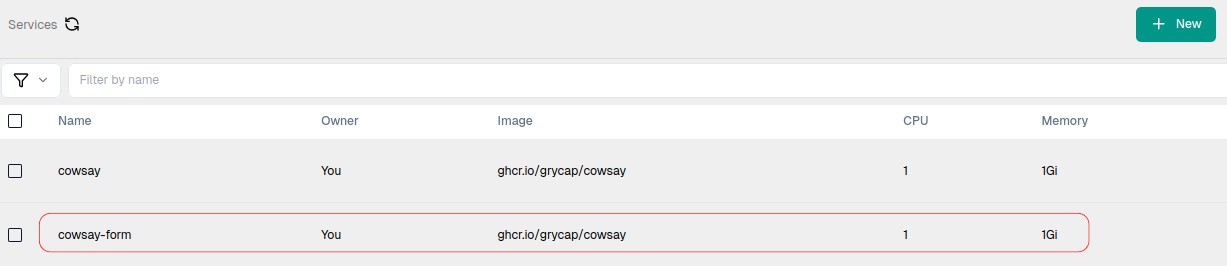
With this, the service is deployed and ready to run (see Service Execution section)