OSCAR Python
OSCAR-Python is an open-source Python client for the OSCAR API designed to facilitate interaction with clusters and services of an OSCAR cluster. It is available on PyPI (oscar-python client).
To interact with OSCAR-Python, you can do so from any computer where Python is installed. Alternatively, you can also do it from the OSCAR cluster itself, as it allows the deployment of a Jupyter Notebook instance. The following shows how to perform this deployment.
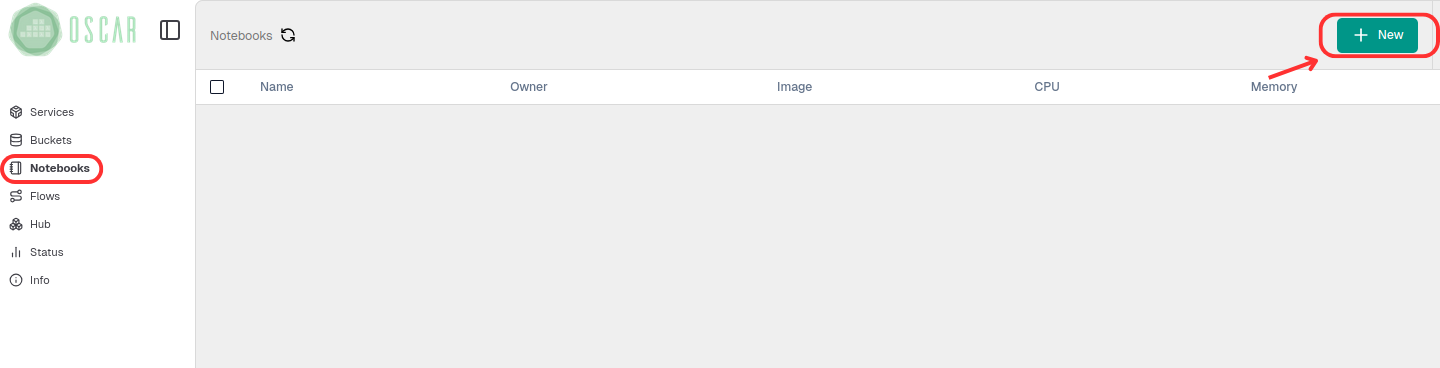
First, in the left-hand menu, go to Notebooks and create a NEW (New Notebook Instance).
Next, assign the instance configuration values.
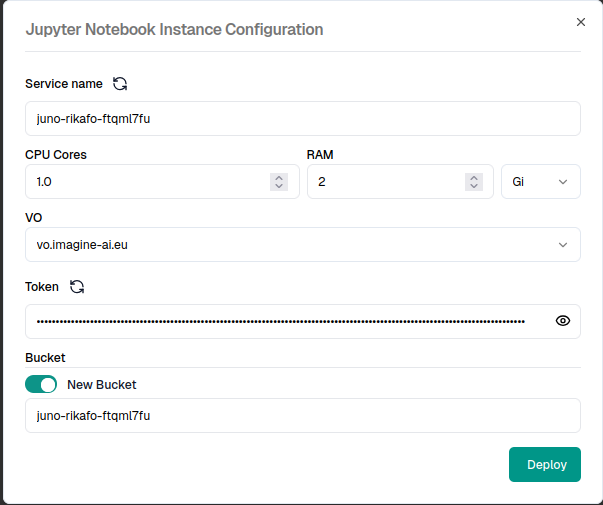
! You can use a new bucket or one created previously.
After a few minutes, the notebook will be deployed and accessible.

From here, you have a deployed Jupyter Notebook that can be used to interact with OSCAR cluster.
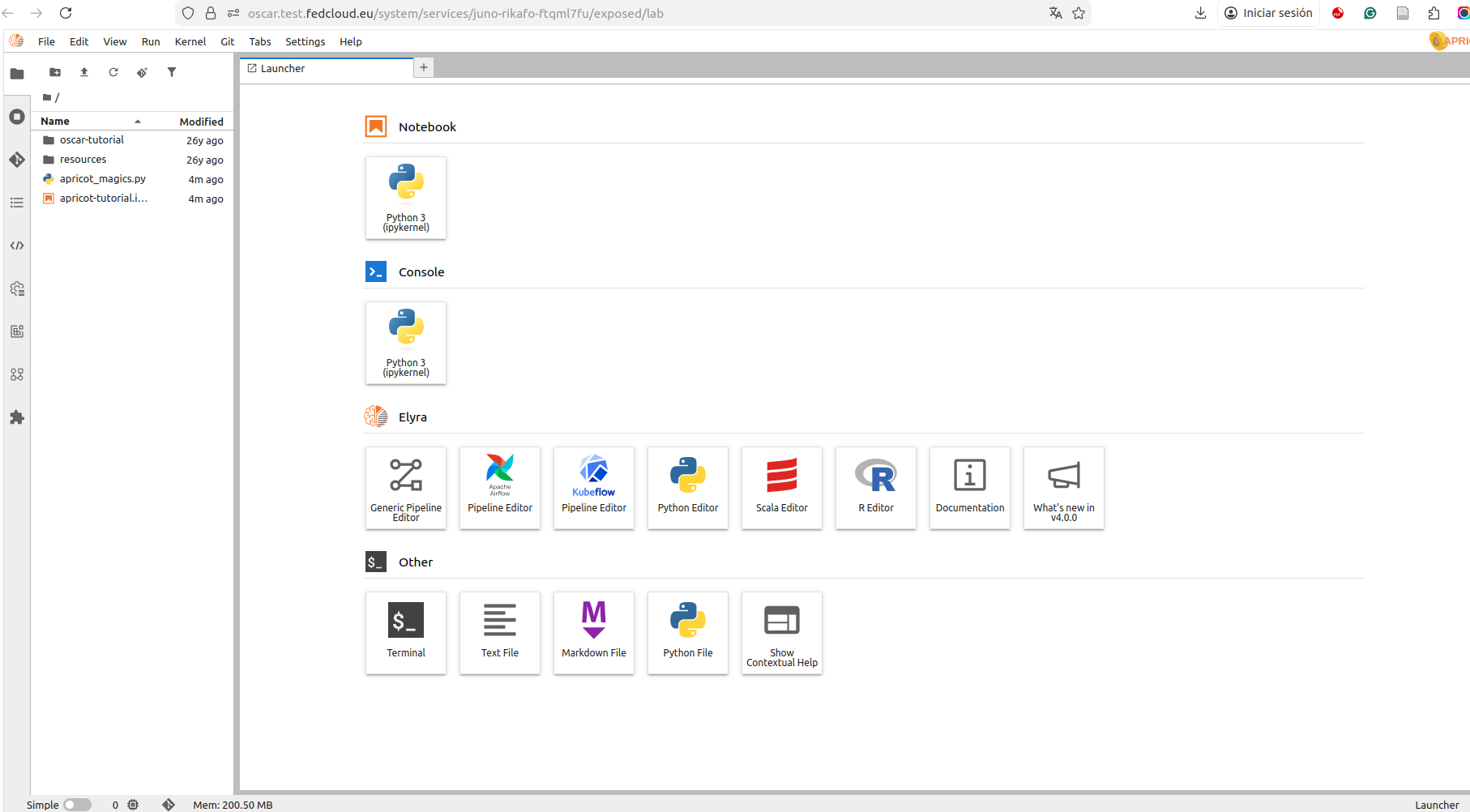
Once the library is installed (pip install oscar-python), you can begin developing and deploying a service. First, you must initialize the client using some form of authentication.
Initialize a client with basic authentication
options_basic_auth = {'cluster_id':'cluster-id',
                'endpoint':'https://oscar-cluster-remote',
                'user':'username',
                'password':'password',
                'ssl':'True'}

client = Client(options = options_basic_auth)
If you already have a valid token, you can use the parameter oidc_token instead.
options_oidc_auth = {'cluster_id':'cluster-id',
                'endpoint':'https://oscar-cluster-remote',
                'oidc_token':'token',
                'ssl':'True'}

client = Client(options = options_oidc_auth)
Then we use the client.create_service function to deploy the service. The only parameter to keep in mind is the location of the FDL file containing the service configuration. In this case, we'll use the cowsay service as an example. After that, everything is ready to invoke the deployed service.
try:
    client.create_service("cowsay.yaml")
except Exception as err:
    print("Failed with: ", err)
With this, the service is deployed and ready to run (see Service Execution section)